
What is Invite a Friend?
Some nights are better shared. Our Invite a Friend feature lets you send a ticket you’ve already purchased straight to someone else’s inbox. They get the ticket in their own name, delivered by email, and you get to save them a seat.
How Do I Invite a Friend?
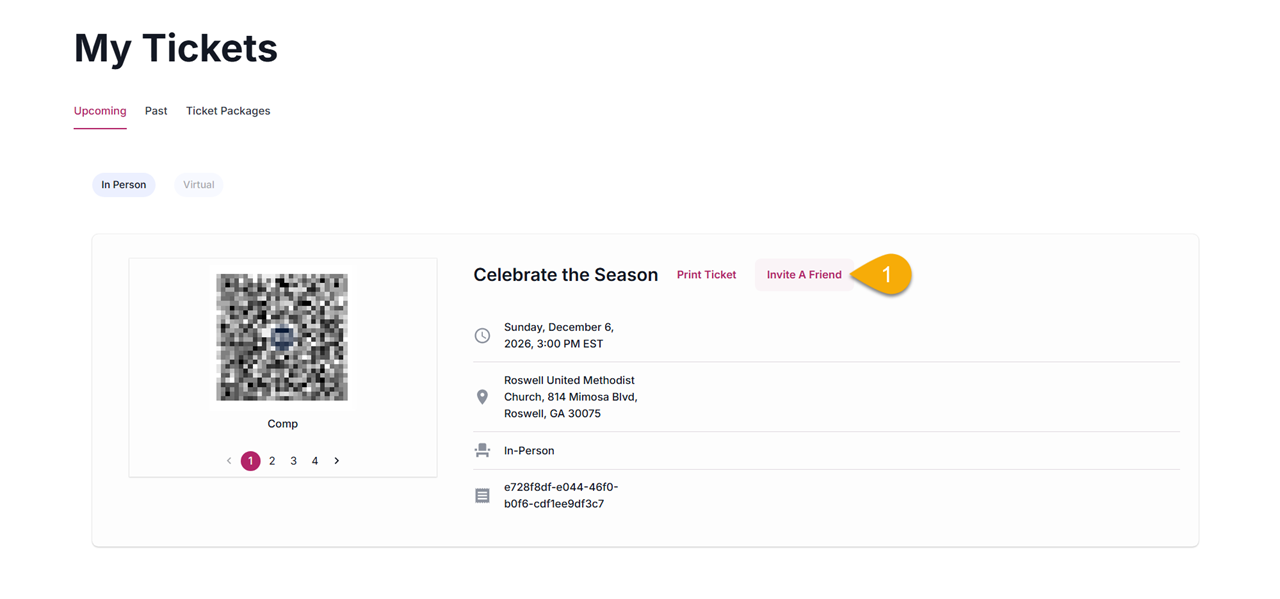
Step 1
- Log in to your account and go to “My Tickets.”
- Click “Invite a Friend.”
Step 2
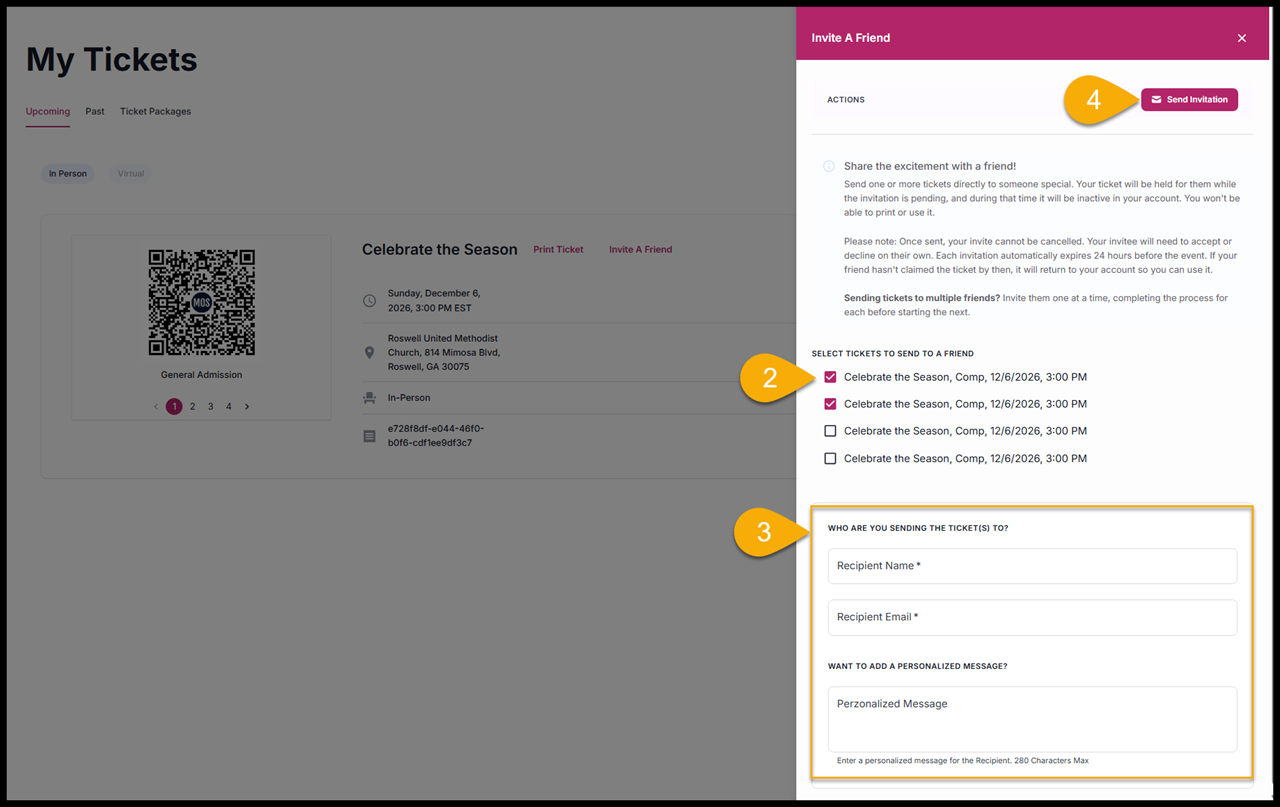
- Select the tickets you want to send.
- Enter your friend’s name and email address.
- Add a short message to let them know why you want them there.
- Click “Send Invitation” at the top of the screen.
That’s it. Your invitation is on its way.
What Does My Friend Need to Do?
Your friend receives an email with your invitation. To accept, they click “Claim Your Ticket.” If they can’t make it, they click “Decline this invitation.”
Once they accept, they see a confirmation page with the event details, and their ticket arrives by email.
How Will I Know If My Friend Said Yes?
You receive an email either way. If your friend accepts, you’re all set. If they decline, the ticket comes back to you so you can invite someone else.
Can I Invite More Than One Friend?
Yes. Send each invitation separately, finishing one before you start the next.
Please contact us if you have trouble sending an invitation or have any questions.